KuCoin Referral Code and Link: 20% fee rebate
KuCoin referral code COINSCAN20 works as a rebate: the base rate stays the same, but part of the paid trading fees is returned to your account. The rebate accrues from actual trades rather than in advance, so the benefit grows with your turnover. Referral terms may change over time and vary by your jurisdiction — always check the current rules on the exchange’s own site.
This site contains advertising. We receive a commission if you sign up for an exchange through our links, at no additional cost to you. Learn more
What the KuCoin referral code gives
A rebate is convenient because it does not conflict with other discounts: it is calculated from the fees already paid, so it works alongside VIP levels and exchange campaigns. Registration from Russia is available, verification works and accounts are not blocked on geographic grounds.
- The rebate accrues from actual trades — the larger the turnover, the more noticeable the amount.
- The rebate does not conflict with other discounts: it is calculated from the fees already paid.
- The rebate stacks with your VIP level and other exchange campaigns.
- The rebate accrues from actual trades — the larger the turnover, the more noticeable the amount.
How to enter the KuCoin referral code during registration
- Follow the link with the referral code — the code is filled into the form automatically.
- If the “referral code” / “invite code” field is empty, copy the code on this page and paste it manually.
- Make sure the field contains exactly the code you copied: it cannot be changed after the account is created.
- Complete the registration and, if required, pass verification (KYC).
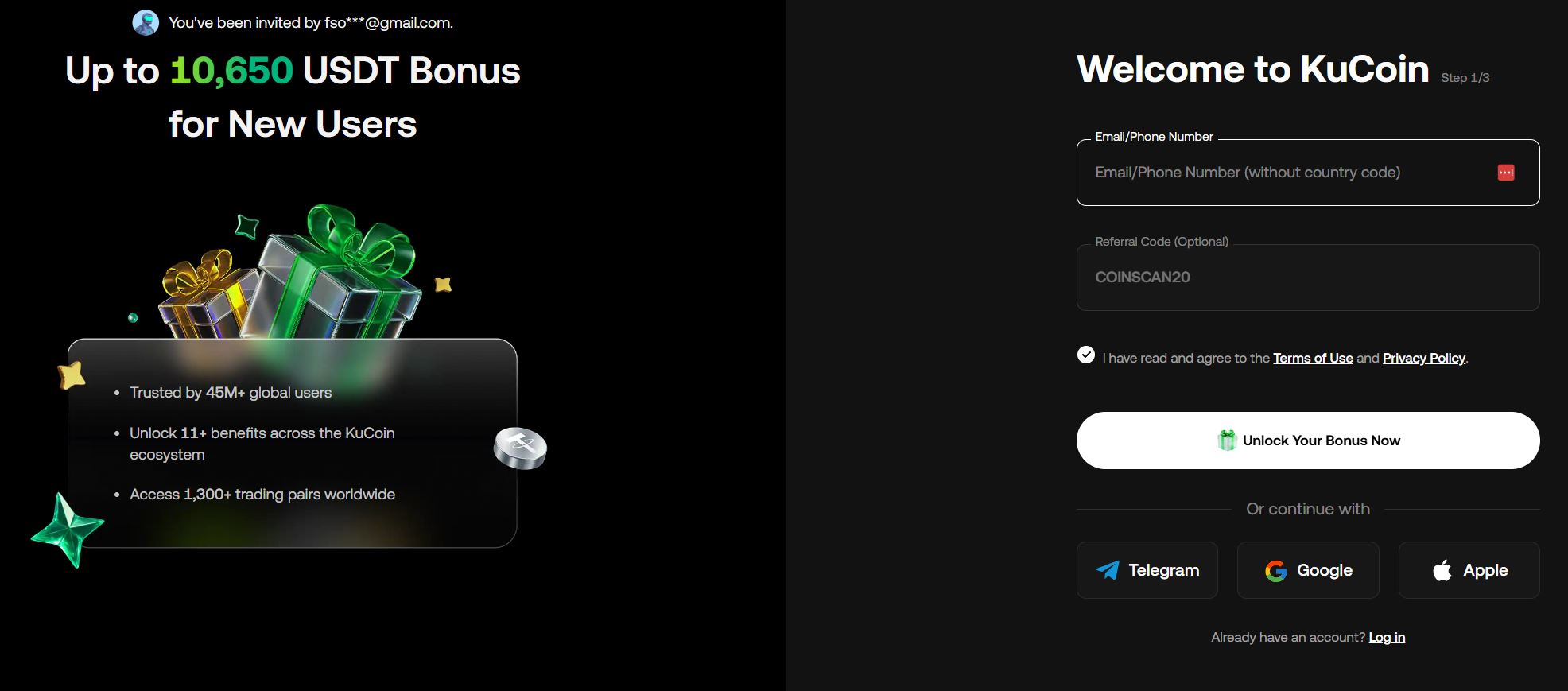
What the KuCoin referral code field looks like
Screenshots show what the exact KuCoin referral code gives: the terms and the label under the field are displayed right in the KuCoin sign-up form.
Can the KuCoin referral code be entered after registration
No. The KuCoin referral code is accepted only at the moment the account is created — in the sign-up form or inside the link you follow. If the account already exists without a code, it cannot be linked retroactively: support does not handle such requests. The only working option is a new account via a link with the code, but most exchanges allow one account per user, so creating a second one just for a discount is not worth it.
Registering on KuCoin with or without a referral code
Registering on KuCoin with a referral code is not mandatory — without it the account is created on standard terms. A code makes sense if you plan to trade: with a monthly turnover of several thousand USDT or more, a lower rate or a fee rebate produces noticeable savings. If you need the account only for a withdrawal or for holding funds, the code brings no benefit.
Referral code savings calculator
Enter your daily turnover and market — the calculator shows the rate without a code, the rate with a code, and the daily, monthly and yearly savings for KuCoin and other exchanges.
| Exchange | Code | Rate without the code | Rate with the code | Savings / day | Savings / month | Savings / year | Sign-up link |
|---|---|---|---|---|---|---|---|
| Binance | 0.1% | 0.09% | 10.00 USDT | 300 USDT | 3,650 USDT | Sign up with the code | |
| Bybit | 0.1% | 0.1% | — | — | — | Sign up with the code | |
| OKX | 0.15% | 0.12% | 30.00 USDT | 900 USDT | 10,950 USDT | Sign up with the code | |
| Gate | 0.2% | 0.16% | 40.00 USDT | 1,200 USDT | 14,600 USDT | Sign up with the code | |
| Bitget | 0.1% | 0.1% | — | — | — | Sign up with the code | |
| KuCoin rebate | 0.1% | 0.1% · fee rebate 20% | 20.00 USDT | 600 USDT | 7,300 USDT | Sign up with the code | |
| HTX rebate | 0.2% | 0.2% · fee rebate 10% | 20.00 USDT | 600 USDT | 7,300 USDT | Sign up with the code | |
| BingX | 0.1% | 0.1% | — | — | — | Sign up with the code | |
| LBank | 0.1% | 0.085% | 15.00 USDT | 450 USDT | 5,475 USDT | Sign up with the code | |
| Hyperliquid | — | 0.07% | 0.07% | — | — | — | — |
| Toobit rebate | 0% | 0% · fee rebate 5% | — | — | — | Sign up with the code | |
| MEXC rebate | 0% | 0% · fee rebate 20% | — | — | — | Sign up with the code | |
| No savings found for these settings on any exchange. | |||||||
The calculation is approximate.
What to know about referral codes
- A code works only for new accounts. It cannot be applied to an existing account.
- Promo terms change: the exchange may adjust the discount size or end the campaign. Current terms are always shown during registration and in your account.
- The offer applies to trading fees and does not remove withdrawal, network or payment-provider fees.
Frequently Asked Questions (FAQ)
The rate in your account stays the same, but part of the paid fees is returned to your account. With a discount the exchange charges the reduced rate right away, while with a rebate it returns a percentage of the amount already charged.
The exchange sets the order and frequency of accruals: usually the rebate arrives in periodic payouts after trades under the code are processed. Check the exact dates in the rewards section of your account.